Concept artists
Test a creature, prop, or environment idea before spending time on a detailed blockout.
Get a concrete 3D starting point for visual exploration.
Try hitem3d for concept workFocused 3D creation
The hitem3d ai-powered 3d model generator gives you a direct path from a useful description to a 3D model concept. Keep the request focused, then review the result before using it in a larger workflow.
Simple workflow
A focused hitem3d request works best when each step has one clear purpose: describe the object, inspect the model, and decide what needs refinement.
Write the subject, shape, materials, proportions, and visual style in plain language. Specific details give the AI-powered workflow a clearer target.
Check the silhouette, proportions, visible details, and overall direction. Treat the first hitem3d output as a starting point, not a final approval.
Adjust one or two details at a time so you can see what changed. Short, deliberate revisions make the AI-powered generation process easier to control.
Built for makers
This focused hitem3d entry point is useful when you want a quick model direction without beginning in a full, multi-purpose 3D workspace.
Test a creature, prop, or environment idea before spending time on a detailed blockout.
Get a concrete 3D starting point for visual exploration.
Try hitem3d for concept workExplore an early prop or character brief while a project is still defining its visual language.
Compare shapes and styles before committing production time.
Use hitem3d for game conceptsTurn a simple object description into a rough form for discussion, reference, or presentation planning.
Make an abstract idea easier to review with a visible model direction.
Explore hitem3d for product ideasStart with a plain-language prompt instead of learning every modeling tool before making a first object.
Use an approachable AI-powered path to understand basic 3D forms.
Start learning with hitem3dCapability snapshot
The hitem3d generator is easiest to understand as a compact path across input, intelligence, and output rather than as a replacement for every 3D tool.
Visual checkpoint
The useful comparison is not perfect versus imperfect. It is a clear request becoming a tangible model direction that can be reviewed and refined.
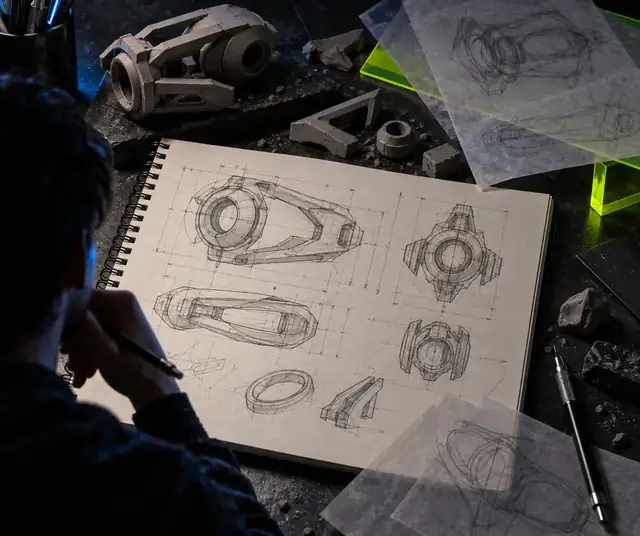 Model brief
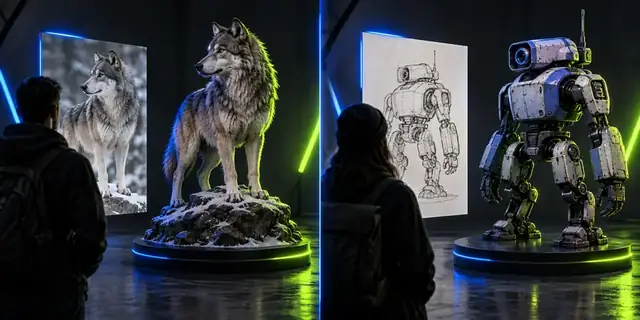 Generated direction
Choose the right path
Both paths can support 3D ideation, but they serve different moments. Use the focused hitem3d generator for a direct request and a broader workflow when you need more surrounding tools.
Primary purpose
Focused hitem3d generator
Turn a defined idea into a model direction
General 3D workflow
Handle modeling, editing, scene work, and production tasks
Starting point
Focused hitem3d generator
A written description with a clear subject
General 3D workflow
A blank scene, imported asset, or existing project
Best for
Focused hitem3d generator
Fast concept exploration and first-pass assets
General 3D workflow
Detailed revision and downstream production
User input
Focused hitem3d generator
Plain-language prompt
General 3D workflow
Manual modeling, files, references, or mixed inputs
Review style
Focused hitem3d generator
Inspect the generated form and refine the request
General 3D workflow
Edit geometry and scene elements directly
Workflow scope
Focused hitem3d generator
Narrow and intentional
General 3D workflow
Broad and multi-stage
Main limitation
Focused hitem3d generator
A vague prompt can produce an unsuitable direction
General 3D workflow
More setup and tool knowledge may be needed
Make a first model
Choose one object, describe its most important characteristics, and let the hitem3d ai-powered 3d model generator establish a first direction. The strongest starting prompts focus on the subject before adding secondary decoration.
Generate a 3D modelQuick answers
These answers address the core question behind the hitem3d ai-powered 3d model generator: what this focused entry point is designed to do and how to approach it.
It is a focused entry point for turning a written 3D idea into a model direction. The workflow is centered on describing an object, reviewing the generated result, and refining the request when needed.
Start with one clear subject, then describe its shape, proportions, material, and visual style. Details that affect the silhouette or identity of the object are usually more useful than a long list of unrelated decorations.
No single generation entry point replaces every modeling, editing, and production task. Hitem3d is most useful for creating and exploring a first direction before deciding what further work the model needs.
Use a specific prompt and change only a few details between attempts. Reviewing the silhouette and proportions first helps you identify whether the next request should address the subject, structure, material, or style.