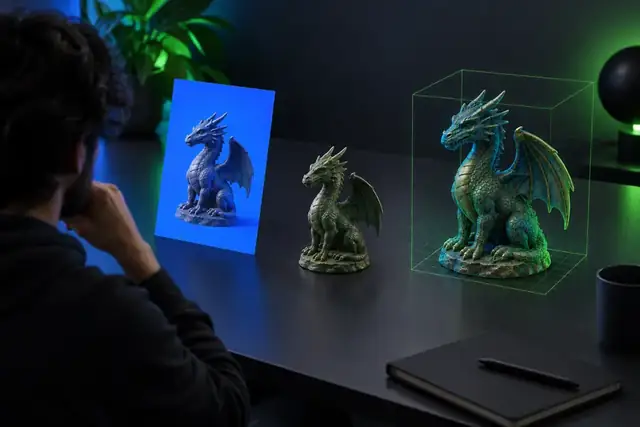
Browser 3D workflow

Use hitem3d online free for faster 3D experiments

Hitem3d online free describes a low-friction way to explore AI-assisted 3D creation from a browser. Start with a clear idea, test a model direction, and review the result before committing to a longer production workflow.

Free to start · review output
AI-generated 3D model workflow shown on a browser screen

At a glance

What the online Hitem3d experience is built for

The useful distinction is not simply online versus offline. It is how quickly you can move from an idea to a reviewable 3D asset, and where the result still needs human cleanup.

Hitem3d online free
Traditional desktop workflow

Where you begin

Hitem3d online free

Browser-based prompt or reference concept

Traditional desktop workflow

Installed software and a prepared scene

First-pass speed

Hitem3d online free

Move directly from an idea to a generated result

Traditional desktop workflow

Model, block out, or import assets manually

Technical setup

Hitem3d online free

Minimal setup for an initial experiment

Traditional desktop workflow

Software installation, file management, and scene configuration

Control over topology

Hitem3d online free

Review and refine the generated mesh afterward

Traditional desktop workflow

Direct control from the first modeling step

Best use

Hitem3d online free

Concepts, variations, references, and early asset drafts

Traditional desktop workflow

Precision modeling and production-ready scene work

Output confidence

Hitem3d online free

Inspect scale, surfaces, and geometry before reuse

Traditional desktop workflow

Confidence depends on the artist's modeling process

Collaboration

Hitem3d online free

Share a generated direction for feedback

Traditional desktop workflow

Share project files or exported previews

Main trade-off

Hitem3d online free

Convenience can come with less predictable geometry

Traditional desktop workflow

More effort, but finer control over every detail

Practical starting points

Who benefits from an online Hitem3d workflow?

Hitem3d is most useful when the goal is to test a visual direction quickly. These scenarios show where an online first pass can support, rather than replace, a more deliberate 3D process.

Indie game creator

You need several prop ideas for a small environment but do not want to model every rough concept by hand.

Generate a visual starting point, compare silhouettes, and keep the strongest direction for manual refinement.

try Hitem3d for game props
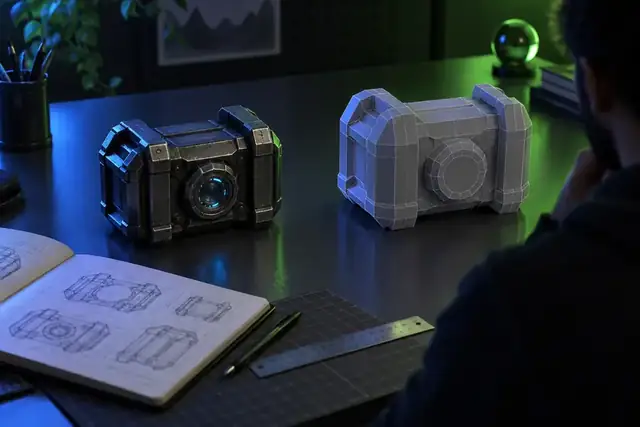
Product designer

You want to discuss the shape of a lamp, container, device, or accessory before detailed CAD work begins.

Use a fast 3D concept to make proportions and design language easier to review with collaborators.

test a Hitem3d product concept

3D learning beginner

You are learning how prompts, references, and geometry relate but are not ready for a complex desktop toolchain.

Practice describing forms and evaluating generated meshes in smaller, more approachable experiments.

start a Hitem3d learning exercise

Visual content creator

You need a distinctive object for a mockup, scene, thumbnail, or early animation layout.

Explore several forms online, then select the result that best supports the composition and story.

create a Hitem3d scene asset

How it works

A simple path from idea to reviewable model

The online workflow is easiest to understand as three deliberate passes: describe, inspect, and decide. Each pass keeps expectations practical while you learn what the generated asset can support.

  1. 1

    Describe the object

    Write the subject, shape, materials, proportions, and visual style in concrete language. A focused prompt gives Hitem3d a clearer design target than a broad phrase such as “make something cool.”

  2. 2

    Inspect the first result

    Look at the silhouette, major surfaces, openings, and overall balance. Treat the first output as a model draft that needs evaluation, not as a guaranteed production asset.

  3. 3

    Choose the next move

    Keep the result for exploration, revise the description, try a reference image, or move into a desktop tool for topology and detail work. The online step helps you make that choice earlier.

From concept to asset

See the difference between an idea and a usable draft

An online generator can shorten the distance between a rough concept and something you can inspect. The important review happens in the middle: check whether the draft actually serves your intended use.

A rough 3D concept starting point Concept input
A more developed AI-generated 3D model draft Model draft
Use the draft as a direction, then verify geometry, scale, and surface quality before production.

Workflow snapshot

Three useful facts about the online route

These figures describe the shape of the workflow rather than promising a fixed result. Your model quality still depends on the prompt, reference material, and the checks you perform afterward.

A lightweight place to begin exploring a 3D idea
1 browser
Text descriptions and reference images can guide an initial concept
2 input types
The goal is a model draft you can inspect and develop further
3D output

Turn one 3D idea into a testable direction

Try an online Hitem3d workflow when you need a concrete starting point, not a promise that every generated mesh is production-ready. Describe the object, review the draft, and use what you learn to guide the next iteration.

Try Hitem3d online
  • Start from a specific object and visual style
  • Review the result before investing in detailed work
  • Move to a deeper modeling workflow when precision matters

Common questions

FAQ about hitem3d online free

These answers focus on what people usually mean when they search for an online Hitem3d experience and how to evaluate it responsibly.

The phrase usually refers to trying Hitem3d through an online, low-friction workflow rather than installing a full desktop application. Check the current access screen for any usage conditions, limits, or feature requirements before starting a larger project.

An online Hitem3d workflow is intended to let you begin from a browser-style creation surface, using a description or reference concept. The practical experience may depend on the current version of the tool and the handoff used to generate the model.

Look beyond screenshots and ask whether the review discusses prompt consistency, mesh quality, surface detail, export behavior, and the amount of cleanup required. A useful review should separate quick concept generation from production-ready modeling.

Not automatically. Treat the first model as a draft and inspect its geometry, scale, topology, materials, and suitability for the final application before publishing, animating, or manufacturing it.

Start creating
Start creating